/

Features

Keyboard Shortcuts

Discover all available Griply keyboard shortcuts for faster navigation, task creation, goal planning, and habit tracking on desktop and web.
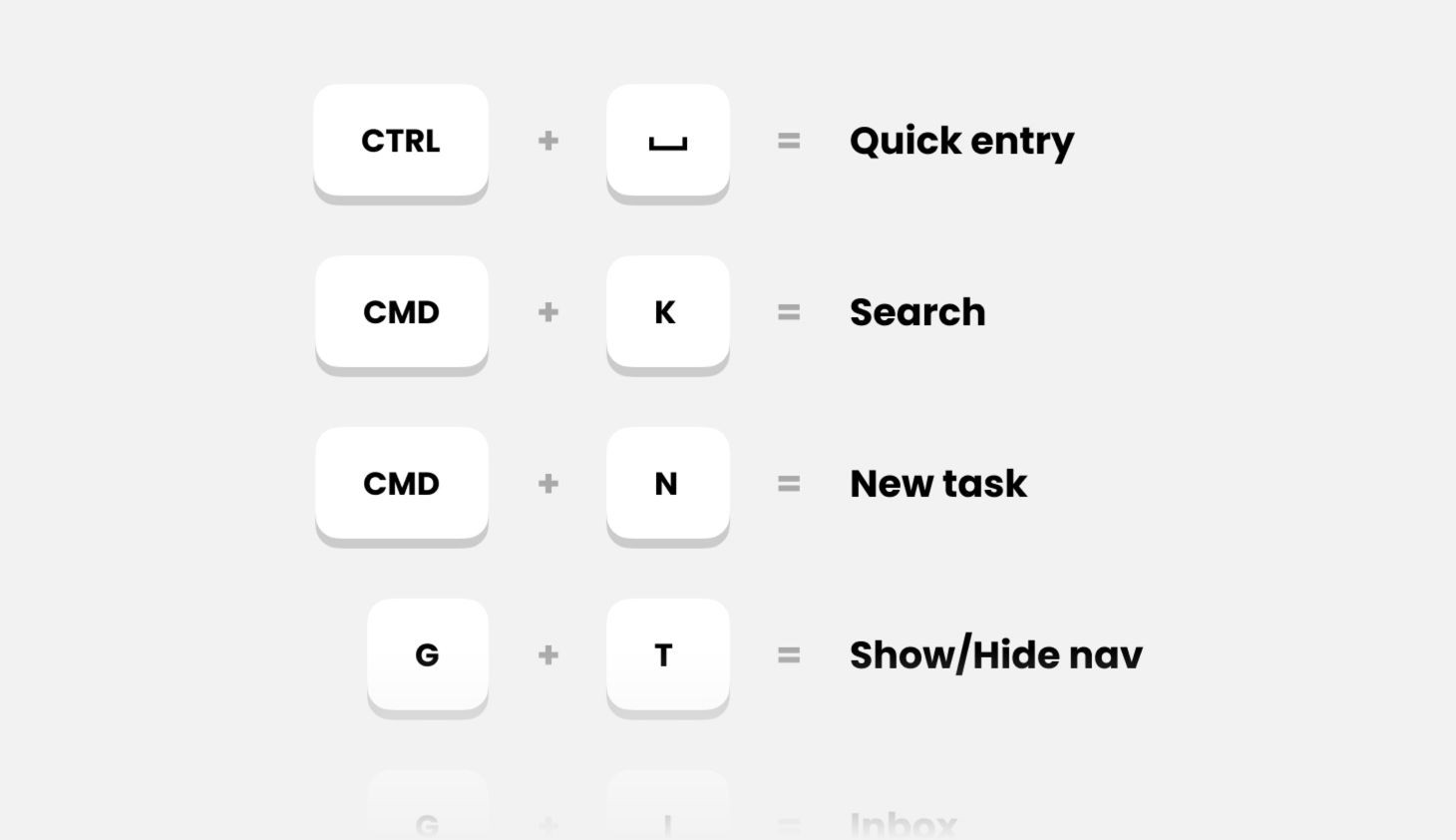
General

Action

Mac OS

Windows

Web

Open Search/Command Menu

CMD + K

CTRL + K

CMD/CTRL + K

Open App Settings

CMD + ,

-

-

Create New Task

💡 Tip: Create tasks faster using natural language and Smart Recognition.

Action

Mac OS

Windows

Web

Create New Task

CMD + N

CTRL + N

N

Create New Task Outside App

CTRL + SPACE

CTRL + SPACE

-

Save New Task

CMD + Enter

CTRL + ENTER

CMD / CTRL + Enter

Set Date

Today / Jan 8 / …

Today / Jan 8 / …

Today / Jan 8 / …

Select Goal or Life Area

~

~

~

Select Tag(s)

#

#

#

Add Deadline

Today / Jan 8 / …

Today / Jan 8 / …

Today / Jan 8 / …

Add Priority

p1 / p2 / p3

p1 / p2 / p3

p1 / p2 / p3

Add start Time

9am / 9:00

9am / 9:00

9am / 9:00

Add Duration

15m / 2h30m / 9am-11am

15m / 2h30m / 9am-11am

15m / 2h30m / 9am-11am

Add Reminder

!9am / !09:00 / !9:00

!9am / !09:00 / !9:00

!9am / !09:00 / !9:00

Add Repeat Schedule

Daily / every Friday / …

Daily / every Friday / …

Daily / every Friday / …

Edit Tasks

💡 Tip: These shortcuts work in the task dialog and when selecting one or more tasks in your task list.

Action

Mac OS

Windows

Web

Open Goal/Life area Picker

G

G

G

Open Date Picker

D

D

D

Open Priority Picker

P

P

P

Open Deadline Picker

SHIFT + D

SHIFT + D

SHIFT + D

Open Tag Selector

T

T

T

Open reminder menu

R

R

R

Open edit menu (only in multi-select)

E

E

E

Set Date to Today

SHIFT + T

SHIFT + T

SHIFT + T

Set Date to Tomorrow

OPTION + SHIFT + T

ALT + SHIFT + T

OPTION/ALT + SHIFT + T

Set Date to Next Week

SHIFT + W

SHIFT + W

SHIFT + W

Clear Date

SHIFT + U

SHIFT + U

SHIFT + U

Set Priority to High

SHIFT + 1

SHIFT + 1

SHIFT + 1

Set Priority to Medium

SHIFT + 2

SHIFT + 2

SHIFT + 2

Set Priority to Low

SHIFT + 3

SHIFT + 3

SHIFT + 3

Set Priority to None

SHIFT + 4

SHIFT + 4

SHIFT + 4

Navigation

Action

Mac OS

Windows

Web

Show/Hide Navigation

CMD + /

CTRL + /

/

Go to Inbox

G + I

G + I

G + I

Go to Today

G + T

G + T

G + T

Go to Upcoming

G + U

G + U

G + U

Go to All Tasks

G + A

G + A

G + A

Go to Completed

G + C

G + C

G + C

Go to Life Areas

G + L

G + L

G + L

Go to Goals

G + O

G + O

G + O

Go to Habits

G + H

G + H

G + H

Go to Insights

G + N

G + N

G + N

Calendar

Action

Mac OS

Windows

Web

4-Day View

D

D

D

Week View

W

W

W

Month View

M

M

M

Go to Today

T

T

T

Go to Next Day

Go to Previous Day

Go to Next Month

Go to Previous Month

Go to Next Week

SHIFT + →

SHIFT + →

SHIFT + →

Go to Previous Week

SHIFT + ←

SHIFT + ←

SHIFT + ←

Today

Action

Mac OS

Windows

Web

Show/Hide Calendar

C

C

C

Upcoming

Action

Mac OS

Windows

Web

Task List View

L

L

L

Task Calendar View

C

C

C

Show/Hide All Tasks

A

A

A

Habit Dialog

Action

Mac OS

Windows

Web

Insights Tab

I

I

I

Upcoming Tab

U

U

U

Settings Tab

S

S

S

Goals

Action

Mac OS

Windows

Web

Create New Goal

OPTION + CMD + N

ALT + CTRL + N

OPTION + CMD/CTRL + N

Goal List View

L

L

L

Goal Timeline View

T

T

T

Goals Timeline

Action

Mac OS

Windows

Web

Week View

W

W

W

Month View

M

M

M

Quarter View

Q

Q

Q

Year View

Y

Y

Y

5-Year View

5

5

5

Go to This Period

T

T

T

Go to Next Period

Go to Previous Period

Insights

Action

Mac OS

Windows

Web

Week View

W

W

W

Month View

M

M

M

Quarter View

Q

Q

Q

Year View

Y

Y

Y

Didn’t find what you were looking for? We’re here to help! You can contact us anytime or ask your question in one of our communities.

/

Features

Keyboard Shortcuts

Discover all available Griply keyboard shortcuts for faster navigation, task creation, goal planning, and habit tracking on desktop and web.

General

Action

Mac OS

Windows

Web

Open Search/Command Menu

CMD + K

CTRL + K

CMD/CTRL + K

Open App Settings

CMD + ,

-

-

Create New Task

💡 Tip: Create tasks faster using natural language and Smart Recognition.

Action

Mac OS

Windows

Web

Create New Task

CMD + N

CTRL + N

N

Create New Task Outside App

CTRL + SPACE

CTRL + SPACE

-

Save New Task

CMD + Enter

CTRL + ENTER

CMD / CTRL + Enter

Set Date

Today / Jan 8 / …

Today / Jan 8 / …

Today / Jan 8 / …

Select Goal or Life Area

~

~

~

Select Tag(s)

#

#

#

Add Deadline

Today / Jan 8 / …

Today / Jan 8 / …

Today / Jan 8 / …

Add Priority

p1 / p2 / p3

p1 / p2 / p3

p1 / p2 / p3

Add start Time

9am / 9:00

9am / 9:00

9am / 9:00

Add Duration

15m / 2h30m / 9am-11am

15m / 2h30m / 9am-11am

15m / 2h30m / 9am-11am

Add Reminder

!9am / !09:00 / !9:00

!9am / !09:00 / !9:00

!9am / !09:00 / !9:00

Add Repeat Schedule

Daily / every Friday / …

Daily / every Friday / …

Daily / every Friday / …

Edit Tasks

💡 Tip: These shortcuts work in the task dialog and when selecting one or more tasks in your task list.

Action

Mac OS

Windows

Web

Open Goal/Life area Picker

G

G

G

Open Date Picker

D

D

D

Open Priority Picker

P

P

P

Open Deadline Picker

SHIFT + D

SHIFT + D

SHIFT + D

Open Tag Selector

T

T

T

Open reminder menu

R

R

R

Open edit menu (only in multi-select)

E

E

E

Set Date to Today

SHIFT + T

SHIFT + T

SHIFT + T

Set Date to Tomorrow

OPTION + SHIFT + T

ALT + SHIFT + T

OPTION/ALT + SHIFT + T

Set Date to Next Week

SHIFT + W

SHIFT + W

SHIFT + W

Clear Date

SHIFT + U

SHIFT + U

SHIFT + U

Set Priority to High

SHIFT + 1

SHIFT + 1

SHIFT + 1

Set Priority to Medium

SHIFT + 2

SHIFT + 2

SHIFT + 2

Set Priority to Low

SHIFT + 3

SHIFT + 3

SHIFT + 3

Set Priority to None

SHIFT + 4

SHIFT + 4

SHIFT + 4

Navigation

Action

Mac OS

Windows

Web

Show/Hide Navigation

CMD + /

CTRL + /

/

Go to Inbox

G + I

G + I

G + I

Go to Today

G + T

G + T

G + T

Go to Upcoming

G + U

G + U

G + U

Go to All Tasks

G + A

G + A

G + A

Go to Completed

G + C

G + C

G + C

Go to Life Areas

G + L

G + L

G + L

Go to Goals

G + O

G + O

G + O

Go to Habits

G + H

G + H

G + H

Go to Insights

G + N

G + N

G + N

Calendar

Action

Mac OS

Windows

Web

4-Day View

D

D

D

Week View

W

W

W

Month View

M

M

M

Go to Today

T

T

T

Go to Next Day

Go to Previous Day

Go to Next Month

Go to Previous Month

Go to Next Week

SHIFT + →

SHIFT + →

SHIFT + →

Go to Previous Week

SHIFT + ←

SHIFT + ←

SHIFT + ←

Today

Action

Mac OS

Windows

Web

Show/Hide Calendar

C

C

C

Upcoming

Action

Mac OS

Windows

Web

Task List View

L

L

L

Task Calendar View

C

C

C

Show/Hide All Tasks

A

A

A

Habit Dialog

Action

Mac OS

Windows

Web

Insights Tab

I

I

I

Upcoming Tab

U

U

U

Settings Tab

S

S

S

Goals

Action

Mac OS

Windows

Web

Create New Goal

OPTION + CMD + N

ALT + CTRL + N

OPTION + CMD/CTRL + N

Goal List View

L

L

L

Goal Timeline View

T

T

T

Goals Timeline

Action

Mac OS

Windows

Web

Week View

W

W

W

Month View

M

M

M

Quarter View

Q

Q

Q

Year View

Y

Y

Y

5-Year View

5

5

5

Go to This Period

T

T

T

Go to Next Period

Go to Previous Period

Insights

Action

Mac OS

Windows

Web

Week View

W

W

W

Month View

M

M

M

Quarter View

Q

Q

Q

Year View

Y

Y

Y

Didn’t find what you were looking for? We’re here to help! You can contact us anytime or ask your question in one of our communities.

/

Features

Keyboard Shortcuts

Discover all available Griply keyboard shortcuts for faster navigation, task creation, goal planning, and habit tracking on desktop and web.

General

Action

Mac OS

Windows

Web

Open Search/Command Menu

CMD + K

CTRL + K

CMD/CTRL + K

Open App Settings

CMD + ,

-

-

Create New Task

💡 Tip: Create tasks faster using natural language and Smart Recognition.

Action

Mac OS

Windows

Web

Create New Task

CMD + N

CTRL + N

N

Create New Task Outside App

CTRL + SPACE

CTRL + SPACE

-

Save New Task

CMD + Enter

CTRL + ENTER

CMD / CTRL + Enter

Set Date

Today / Jan 8 / …

Today / Jan 8 / …

Today / Jan 8 / …

Select Goal or Life Area

~

~

~

Select Tag(s)

#

#

#

Add Deadline

Today / Jan 8 / …

Today / Jan 8 / …

Today / Jan 8 / …

Add Priority

p1 / p2 / p3

p1 / p2 / p3

p1 / p2 / p3

Add start Time

9am / 9:00

9am / 9:00

9am / 9:00

Add Duration

15m / 2h30m / 9am-11am

15m / 2h30m / 9am-11am

15m / 2h30m / 9am-11am

Add Reminder

!9am / !09:00 / !9:00

!9am / !09:00 / !9:00

!9am / !09:00 / !9:00

Add Repeat Schedule

Daily / every Friday / …

Daily / every Friday / …

Daily / every Friday / …

Edit Tasks

💡 Tip: These shortcuts work in the task dialog and when selecting one or more tasks in your task list.

Action

Mac OS

Windows

Web

Open Goal/Life area Picker

G

G

G

Open Date Picker

D

D

D

Open Priority Picker

P

P

P

Open Deadline Picker

SHIFT + D

SHIFT + D

SHIFT + D

Open Tag Selector

T

T

T

Open reminder menu

R

R

R

Open edit menu (only in multi-select)

E

E

E

Set Date to Today

SHIFT + T

SHIFT + T

SHIFT + T

Set Date to Tomorrow

OPTION + SHIFT + T

ALT + SHIFT + T

OPTION/ALT + SHIFT + T

Set Date to Next Week

SHIFT + W

SHIFT + W

SHIFT + W

Clear Date

SHIFT + U

SHIFT + U

SHIFT + U

Set Priority to High

SHIFT + 1

SHIFT + 1

SHIFT + 1

Set Priority to Medium

SHIFT + 2

SHIFT + 2

SHIFT + 2

Set Priority to Low

SHIFT + 3

SHIFT + 3

SHIFT + 3

Set Priority to None

SHIFT + 4

SHIFT + 4

SHIFT + 4

Navigation

Action

Mac OS

Windows

Web

Show/Hide Navigation

CMD + /

CTRL + /

/

Go to Inbox

G + I

G + I

G + I

Go to Today

G + T

G + T

G + T

Go to Upcoming

G + U

G + U

G + U

Go to All Tasks

G + A

G + A

G + A

Go to Completed

G + C

G + C

G + C

Go to Life Areas

G + L

G + L

G + L

Go to Goals

G + O

G + O

G + O

Go to Habits

G + H

G + H

G + H

Go to Insights

G + N

G + N

G + N

Calendar

Action

Mac OS

Windows

Web

4-Day View

D

D

D

Week View

W

W

W

Month View

M

M

M

Go to Today

T

T

T

Go to Next Day

Go to Previous Day

Go to Next Month

Go to Previous Month

Go to Next Week

SHIFT + →

SHIFT + →

SHIFT + →

Go to Previous Week

SHIFT + ←

SHIFT + ←

SHIFT + ←

Today

Action

Mac OS

Windows

Web

Show/Hide Calendar

C

C

C

Upcoming

Action

Mac OS

Windows

Web

Task List View

L

L

L

Task Calendar View

C

C

C

Show/Hide All Tasks

A

A

A

Habit Dialog

Action

Mac OS

Windows

Web

Insights Tab

I

I

I

Upcoming Tab

U

U

U

Settings Tab

S

S

S

Goals

Action

Mac OS

Windows

Web

Create New Goal

OPTION + CMD + N

ALT + CTRL + N

OPTION + CMD/CTRL + N

Goal List View

L

L

L

Goal Timeline View

T

T

T

Goals Timeline

Action

Mac OS

Windows

Web

Week View

W

W

W

Month View

M

M

M

Quarter View

Q

Q

Q

Year View

Y

Y

Y

5-Year View

5

5

5

Go to This Period

T

T

T

Go to Next Period

Go to Previous Period

Insights

Action

Mac OS

Windows

Web

Week View

W

W

W

Month View

M

M

M

Quarter View

Q

Q

Q

Year View

Y

Y

Y

Didn’t find what you were looking for? We’re here to help! You can contact us anytime or ask your question in one of our communities.

Table of contents