Smart Lists: Saved Views, Quick Planning, and More
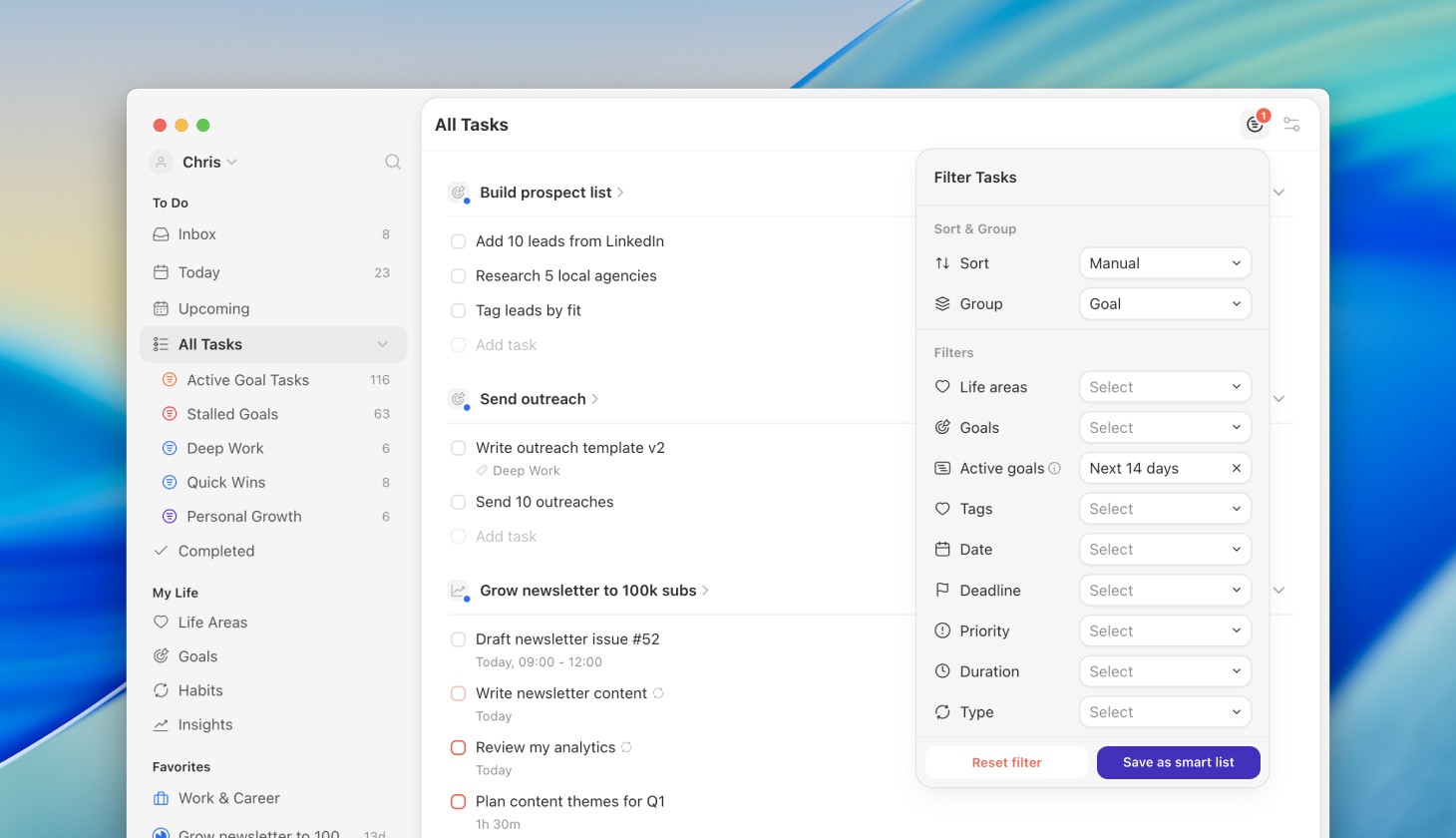
We’re excited to introduce Smart Lists, a powerful new way to organize, filter, and find exactly the tasks you need. By combining filters across life areas, goals, tags, and priorities, you can build saved dynamic views that update in real time. We’ve also added some great shortcuts to make your planning faster than ever and fixed a few bugs for a much smoother experience. Whether you’re crushing "This Week's Priorities," staying ahead of "Overdue Deadlines," or finding those "Quick Wins," Smart Lists help you move from searching to focused execution.
Read our help center article to see use cases and examples on how to get started.
Features
Saved Dynamic Views: Build your own custom views by combining any filters (Life Area, Goal, Priority, Duration, etc.) and save them for instant access.
Sidebar Integration: Access your Smart Lists directly from the sidebar under "All Tasks," complete with live task counts.
Plan your week using smart lists: This is a game-changer for your weekly review. Switch between Inbox, All Tasks, Smart Lists, and Tags instantly when planning your day or week using the list selector (shortcut S).
Improvements
Smarter Date Filters: When you filter for "Today," "This Week," "This Quarter," or "This Year," Griply now automatically includes overdue tasks. This ensures you never miss a task that fell behind, keeping your backlog visible and manageable.
New "Next 14 Days" Filter: Get better visibility into your immediate future with a dedicated two-week rolling window.
Fixes
Fixed a small issue where the background of a menu could scroll away with the content.
Fixed a bug where the "download iPhone app" banner was incorrectly shown on iPad mini.
