Change Quick Entry Keyboard Shortcut, and Small Fixes
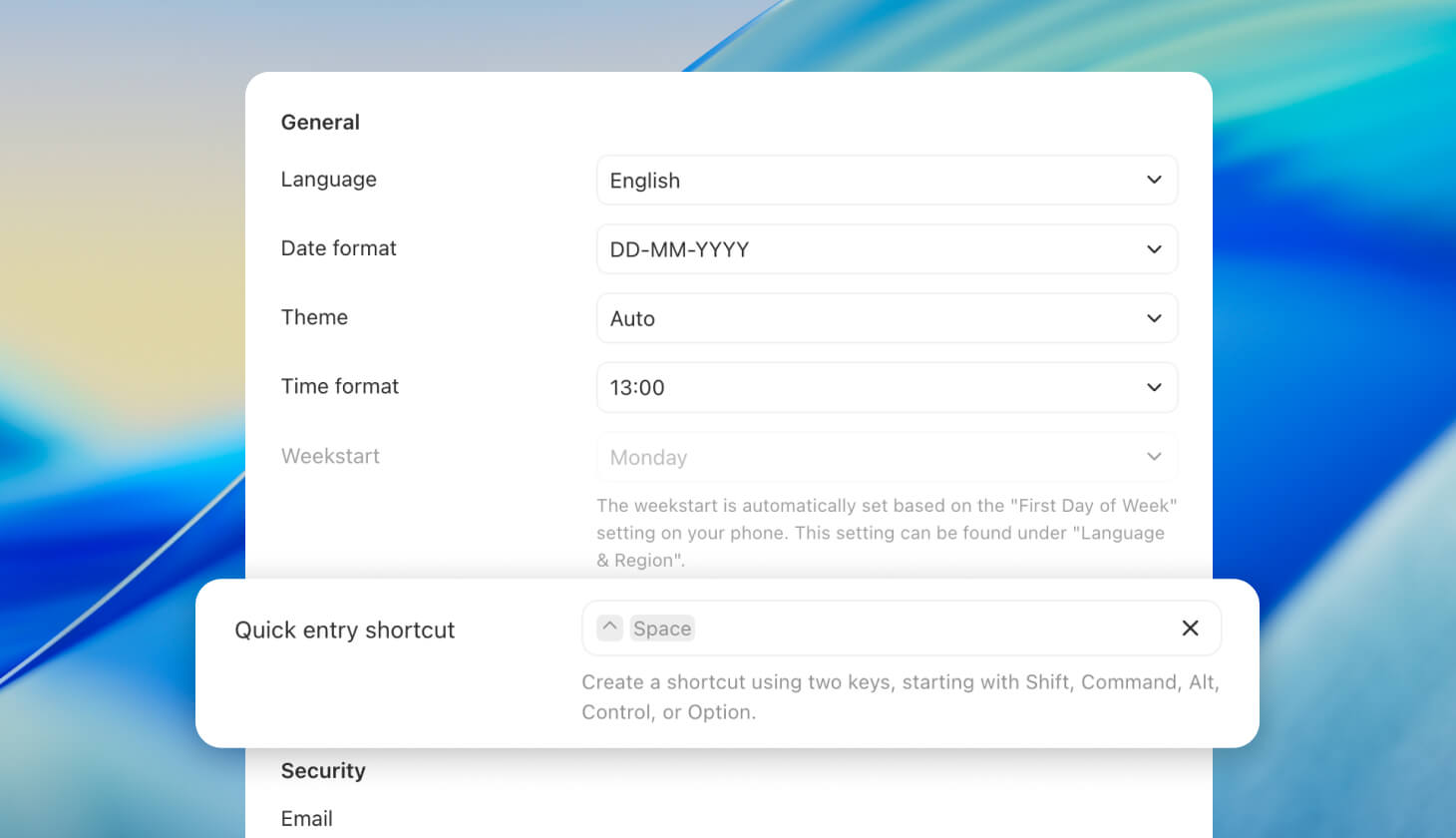
You can now change the keyboard shortcut used to quickly capture tasks from anywhere on your computer. Alongside that, we’ve made minor improvements and fixes.
Improvements
Added an Archived section at the bottom of the Goal page, Life Area page, and All Tasks page to show archived habits.
Show the next occurrence for habits that are not due today.
Tag counts are now shown for favorited tags as well.
The tag filter now orders tags the same as in the main navigation.
The tag filter now shows tasks that contain all selected tags, instead of any one of them.
“Hide completed goals” on the Goal Detail page now also hides completed sub-subgoals.
Improved multi-tab support.
Improved handling of weak internet connections.
Improved connection restoration after being idle.
Improved overall syncing stability.
Fixes
Fixed a bug that prevented filters from being applied in a Tag list.
Fixed a bug that prevented filters from being applied in a Life Area.
Fixed an error in the progress time range when a goal had no start date, end date, or progress entries.
The “Add task” button in the Tag Detail view now links tasks directly to the same tag, so they don’t end up in the inbox.
Today’s grouping, sorting, and filter options didn’t sync with iOS.
Habits were sometimes incorrectly filtered out in a Tag list.
Fixed bug where quick entry didn't always add a task to the inbox
