Best goal tracking app for the 12 Week Year
Griply is the best third-party goal tracking app for running the 12 Week Year. You set a long-term vision, a measurable 12-week goal, and the weekly habits that support it, then score each week by the habits you completed.
Griply: covers the whole 12 Week Year in one place: a vision, a 12-week goal, weekly habits, and a habit completion rate you read as your weekly execution score. iOS, Android, web, and desktop. Free plan, then $5.99/month or $49.99/year. Rated 4.7/5 across 713 App Store ratings.
Achieve: the official 12 Week Year app, built around the book's vision, 12-week goals, and weekly scorecard. Web only. Subscription from $115/year.
Notion: flexible enough for a 12 Week Year template, but you build every formula yourself and there is no built-in goal that tracks a number against a deadline. Web, desktop, iOS, and Android. Free plan, then $10/user per month.
Todoist: fast task capture with no goal layer, so the tasks you finish never add up to a 12-week goal or a weekly execution score. iOS, Android, web, and desktop. Free plan, then $5/month.
App | 12-week goal setup | Weekly execution view | Platforms | Price | Best for |
|---|---|---|---|---|---|
Griply | Life area, Vision, then a Goal with a 12-week deadline and weekly habits | % of your weekly habits completed | iOS, Android, web, Mac, Windows | Free plan (2 goals, 2 habits); $5.99/mo, $49.99/yr | Running a 12 Week Year alongside your other goals and habits |
Achieve | Built-in 12 Week Year template: vision, 12-week goals, weekly plan | Built-in weekly execution score | Web only | From $115/year | Following the official method end to end |
Notion | A template you build or import by hand | Formulas you set up yourself | Web, Mac, Windows, iOS, Android | Free; Plus $10/user per month | Designing your own layout from scratch |
Todoist | Projects and tasks, no goal layer | Task checkboxes, no execution score | iOS, Android, web, desktop | Free; Pro $5/month | Fast task capture without a goal layer |
Griply publishes this page and ranks itself first, so read it as our own assessment of how each app runs the method.
What the 12 Week Year asks a goal tracking app to do
The 12 Week Year comes from Brian P. Moran and Michael Lennington's 2013 book The 12 Week Year. It treats twelve weeks as a full planning year, so each week counts for as much as a month does in an annual plan and no deadline ever sits eleven months away. You start with a long-term vision, set one or two measurable 12-week goals, and break each goal into the weekly actions the book calls tactics.
At the end of each week you work out one number: the share of your planned tactics you completed. The book suggests keeping that number near 85%. Most goal apps track the final outcome or a habit streak, not weekly execution against a 12-week goal. The full 12 Week Year guide walks through each part of the method in detail.
Why Griply fits the 12 Week Year
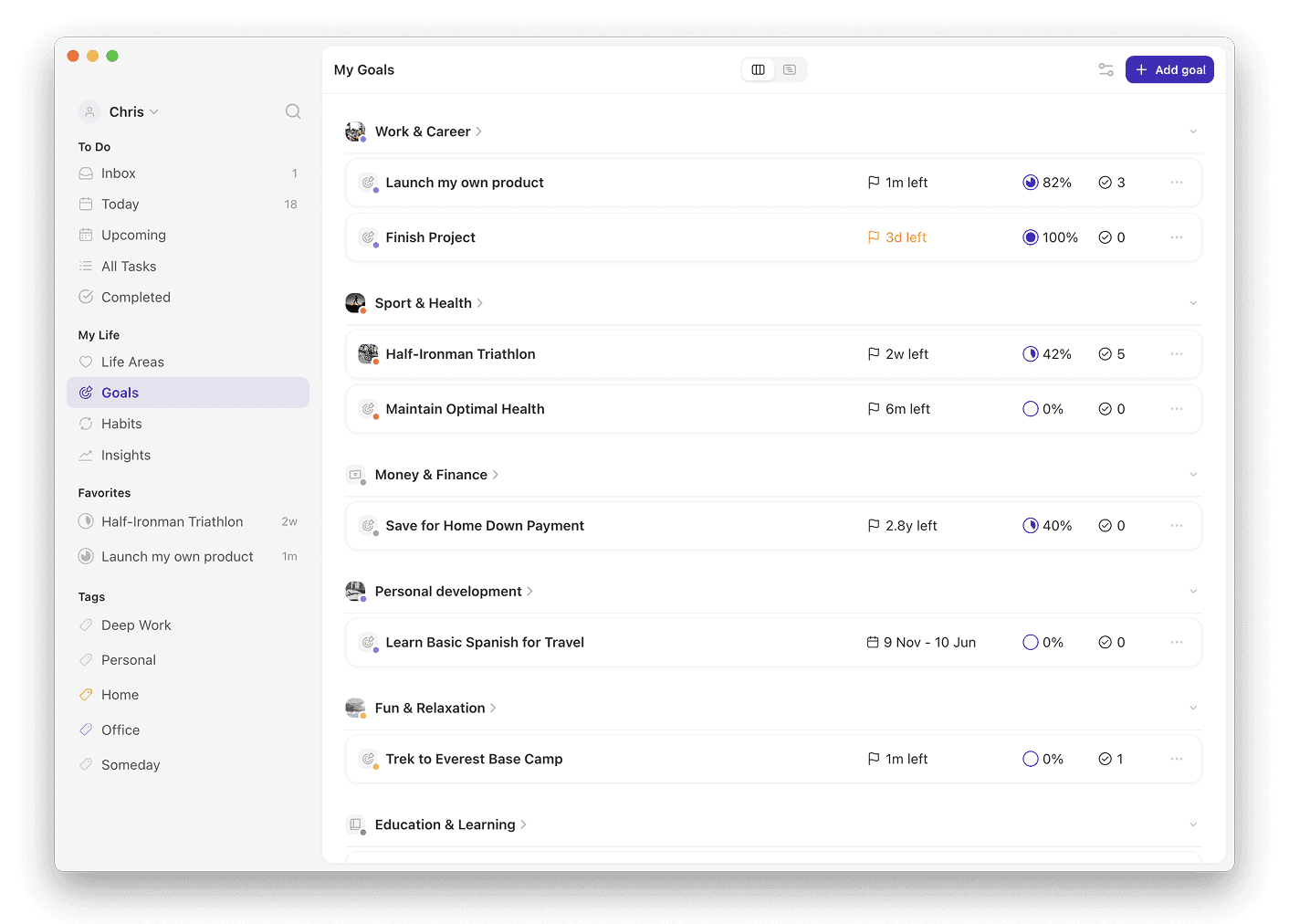
Griply is built around a goal that has a start value, a target, and a deadline, and you can attach tasks and habits to it. Set that deadline twelve weeks out and you have your 12-week goal. Griply's goal-first hierarchy runs Life Area → Vision → Goal → Subgoal → Project → Task/Habit, so the long-term vision the 12 Week Year starts with has its own field on every life area in Griply.
Each weekly tactic becomes a habit on a weekly schedule. You can link a habit to the goal it supports, which is optional and only changes where the habit shows up in Griply. Habit statistics show what share of your weekly habits you completed, and that percentage is your execution score. Griply also charts each goal's progress against its target, from the start date to the deadline.
Griply has no built-in 12 Week Year mode and no streak counter. You build the cycle yourself from a goal, weekly habits, and Griply's habit statistics.
How to run a 12 Week Year in Griply
Start with the life area that matters most this quarter and write your vision in its Vision field. Create a goal in that life area, give it a target you can measure, and set the deadline twelve weeks out.
Add each weekly tactic as a habit on a weekly schedule and link it to that goal. Once a week, open the Habits screen or Insights to read your completion rate, then run a short weekly review to decide what to change about the habits you keep missing.
You log goal progress in Griply by hand, so ticking off a habit never moves the goal's number for you. Update that number when you hit a real milestone, which keeps your weekly execution score separate from the goal's own progress.
Related questions
What is the 12 Week Year system?
The 12 Week Year is a productivity method from Brian Moran and Michael Lennington that treats twelve weeks as a full planning year. You set a vision, one or two measurable 12-week goals, and the weekly actions behind them, then score each week by the actions you completed.
Can you run the 12 Week Year in Griply without a built-in template?
Yes. Griply has no 12 Week Year template, so you build the cycle from the parts Griply already has: a Vision on a life area, a Goal with a 12-week deadline, and weekly habits linked to that goal. Habit completion stats give you the weekly execution score.
How does Griply compare to the Achieve app for the 12 Week Year?
Griply runs the same method next to the rest of your goals and habits, on iOS, Android, web, and desktop, free to start, then $49.99/year. Achieve is the official 12 Week Year app, built only for this method, web only, from $115/year.
Is the 12 Week Year better than annual goals?
Yes, for goals you can move in twelve weeks. A twelve-week deadline forces weekly action, each week ends with an execution score, and a weak start shows up within weeks, not in December. Annual goals still suit slow, compounding outcomes, and Griply lets you set any deadline.
What is the best app to track weekly goals?
Griply is the best app for tracking weekly goals. Schedule each goal's actions as habits on a weekly schedule, link them to the goal, then read your completion rate for the week in habit statistics or Insights. You see which weekly targets you hit without a second app.