Best free goal tracker apps in 2026, compared
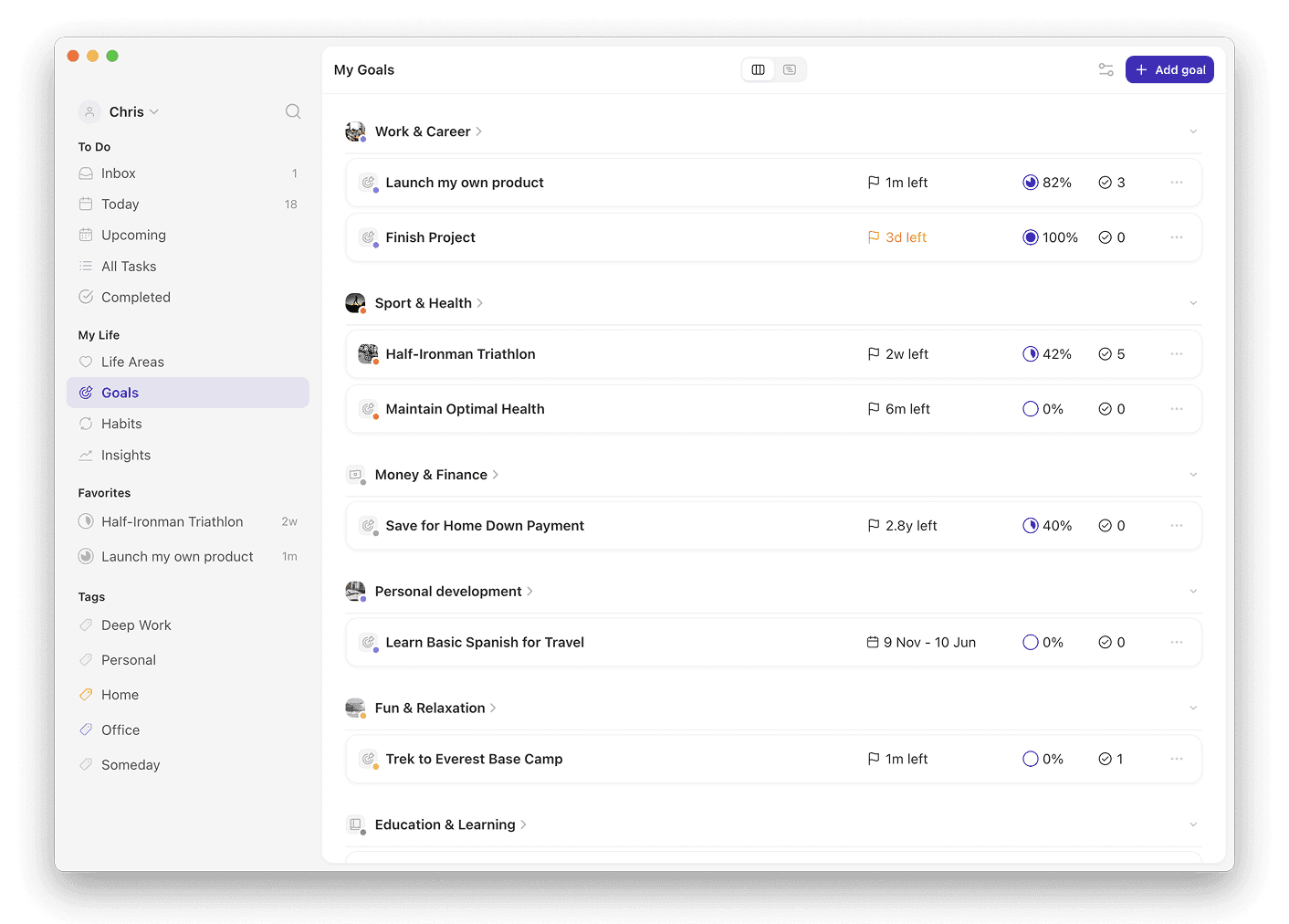
The best free goal tracker apps are Griply, Strides, TickTick, Habitica and Notion. Griply leads because its free plan charts each goal's progress, so you see at a glance whether you're on track. It's free for 2 goals, 2 habits and unlimited tasks.
Griply: a progress chart for each goal, with the habits you link to it shown beside the chart and its tasks in the same app; iOS, Android, web, Mac and Windows; free plan (2 goals, 2 habits, unlimited tasks), Premium $5.99/month or $49.99/year; 4.7/5 from 770+ App Store ratings worldwide (October 2026).
Strides: shows a pace line and the daily rate you need to hit a target, but has no tasks, and a habit can't be linked to a target; iPhone, iPad, Mac, Apple Watch and Android; free plan (3 trackers), Plus from $4.99/month.
TickTick: a task manager with a habit tracker and a built-in calendar, but no goal with a target or a progress chart; iOS, Android, web, Mac, Windows and Linux; free plan (5 habits, 9 lists), Premium $49.99/year.
Habitica: turns habits and to-dos into a role-playing game and keeps all of it free, but has no goal with a target or a progress chart; iOS, Android and web; free, optional subscription from $4.99/month.
Notion: a blank workspace where you build your own goal tracker from a template, with 1 chart on the free plan; iOS, Android, web, Mac and Windows; free for individuals, Plus $10/member/month billed yearly.
App | Goals on the free plan | Progress view | Habits and tasks on the free plan | Platforms | Best for |
|---|---|---|---|---|---|
Griply | 2 goals, each with a start value, target and deadline | A chart of each update against the pace line to your deadline | 2 habits and unlimited tasks, which you can link to a goal | iOS, Android, web, Mac, Windows | Seeing whether a goal is on track, with its habits and tasks in one app |
Strides | Target trackers (a number by a date), as part of 3 free trackers | A pace line, plus the daily rate you need | Habit trackers share the 3 free slots; no tasks | iPhone, iPad, Mac, Apple Watch, Android | Tracking a few numbers or habits, with no to-do list |
TickTick | No goal with a target | Habit check-ins and basic statistics | 5 habits and 9 lists of up to 99 tasks, not tied to a goal | iOS, Android, web, Mac, Windows, Linux | Tasks and habits with a built-in calendar |
Habitica | No goal with a target or deadline | Points, levels and streaks; no progress chart | Habits, dailies and to-dos, all free | iOS, Android, web | Making daily habits feel like a game |
Notion | Only goals you build yourself | 1 chart on the free plan, which you set up yourself | Only what you build yourself | iOS, Android, web, Mac, Windows | Building your own system, if you enjoy the upkeep |
We make Griply, so read this as our own take. Every app here was judged on the same question: what can you track for free, and can you see whether a goal is on track? Free plans, prices and platforms were checked on 9 October 2026; prices are in USD and can differ per country.
Why most free goal trackers fall short
Many free goal tracker apps are habit or task apps under another name. Habitica rewards a streak, TickTick checks off tasks, and Notion hands you a blank page to build the tracker yourself. They record what you did, but they can't tell you whether it's getting you closer to your goal.
A goal you can track has a number you start from, a number you want to reach and a deadline, the measurable and time-bound parts of SMART goals. With those three, an app can show whether you're ahead or behind. Without them, it can only count check marks. Of the free apps here, only Griply and Strides come with a target and a date built in.
So when you compare free plans, check three things: can a goal hold a target and a deadline, can you see its progress on a chart, and can your habits and tasks connect to it? Most free apps give you one or two of these.
If you're open to paying, our comparison of goal setting apps covers the paid options too.
How Griply's free plan shows your progress
Griply gives each goal a progress chart, so one look tells you whether you're on track. You set a start value, a target and a deadline, and the chart draws the pace you need as a line from the start value to the target on the deadline. Every update you log lands as a point above or below that line. When you reach the target, the chart turns green. Goal progress charts are part of the free plan.
Your goals live in the same app as the habits and tasks behind them. You can link a habit to the bigger goal it feeds, or a task to the goal it serves. Open the goal and you see its chart next to the statistics of each habit you linked. The Today screen shows the day's tasks and habits beside your calendar.
The free plan includes 2 goals, 2 habits, 5 projects and unlimited tasks, plus habit statistics, reminders and the calendar on Today. Premium adds unlimited goals and habits, subgoals, and the Timeline, which lays your goals out over the months ahead.
If you mostly manage tasks, our Griply vs TickTick comparison goes deeper on that choice.
Using Griply's free plan to track a goal
Say your goal is to run 300 km by 31 December, starting from 0. Here's how to set it up on the free plan:
Open Sport & Health, one of the nine life areas every account starts with.
Create the goal: start value 0, target 300 km, deadline 31 December.
Add a habit for Monday, Wednesday and Friday runs, linked to the goal.
Add one-off tasks, like signing up for a race, and link them too.
After a run, check off the habit, then open the goal and log the distance, and the chart moves with every entry. How to build a habit connected to a goal covers that setup in more detail.
The free plan still has room for a second goal with its own habit. Completed goals and habits don't count toward the limit, so when you finish one you can start another. Archived ones still count.
Related questions
Is there free goal tracking software for desktop?
Yes. Griply runs on Mac, Windows and the web, and its free plan includes 2 goals with progress charts, 2 habits and unlimited tasks. TickTick and Notion also have free desktop apps, Strides runs on Mac, and Habitica runs in a browser.
What is the best free goal tracking app for Android?
Griply. Its Android app has every in-app feature of the iPhone app, and its free plan has 2 goals with progress charts, 2 habits and unlimited tasks. Strides also runs on Android, with 3 free trackers. TickTick, Habitica and Notion have free Android apps but no goal with a target.
How does Griply compare to TickTick for goal tracking?
Griply tracks goals; TickTick manages tasks. TickTick's free plan has 5 habits, task lists and a built-in calendar, but no goal with a target or progress chart. Griply's free plan charts 2 goals and lets you link habits and tasks to them. Pick TickTick for a calendar-based task list.
What is the difference between a habit tracker and a goal tracker?
A habit tracker records whether you did a recurring action, like a morning run. A goal tracker measures progress toward an outcome with a start value, target and deadline, like 300 km by December. Griply does both, and lets you link a habit to the bigger goal it feeds.
Does Griply's free plan expire?
No. Griply's free plan has no time limit. It includes 2 goals with progress charts, 2 habits, 5 projects and unlimited tasks. Premium removes the limits and adds subgoals and the Timeline for $5.99/month or $49.99/year, with a 7-day free trial.