What is the best app for New Year's resolutions in 2027?
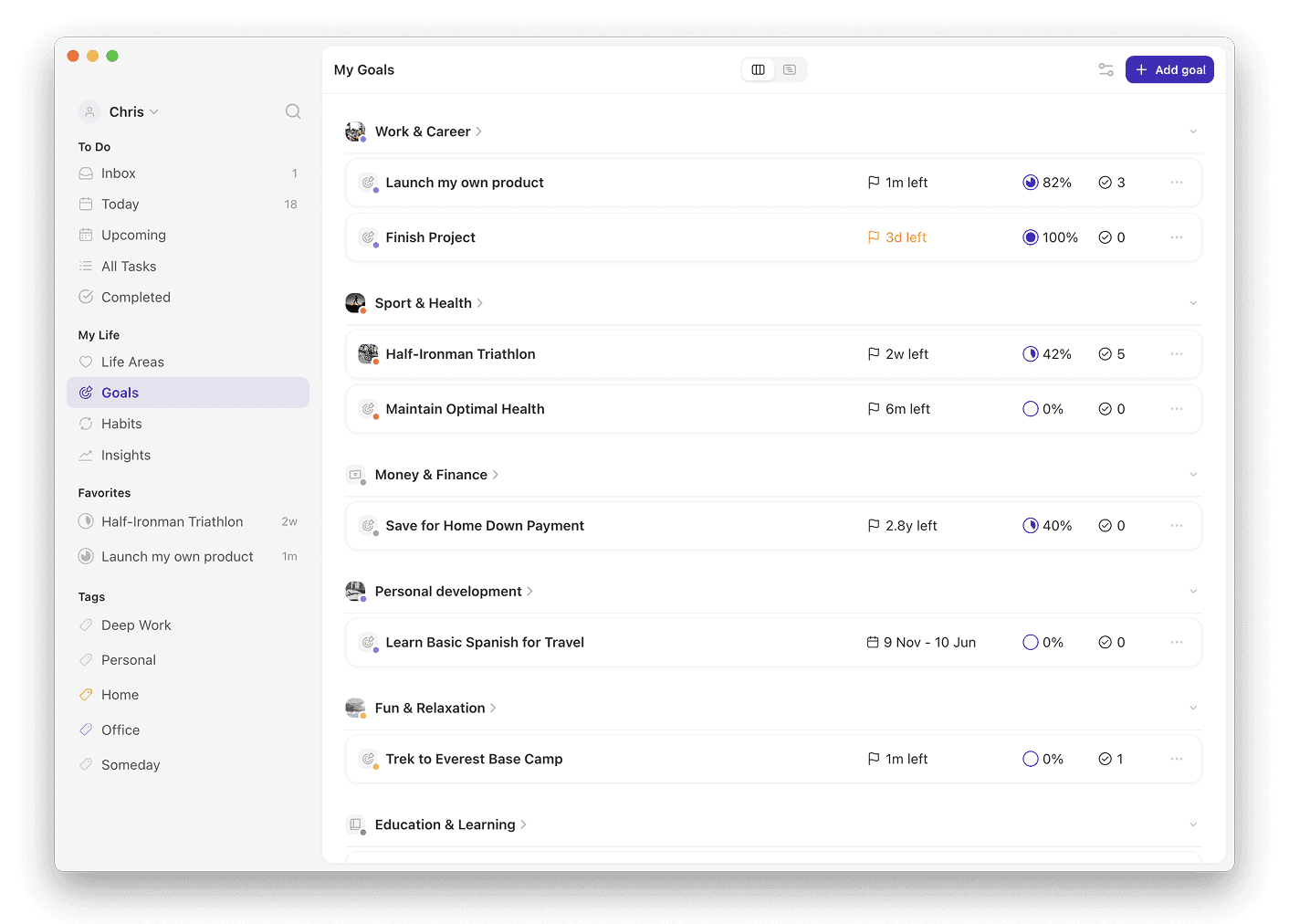
Griply is the best New Year's resolution app because it shows each resolution's progress next to the habits behind it. You set a target and deadline, like 24 books by December, link the habits that get you there, and plan the tasks for each week in the same app.
Griply: the only app here that lets you link habits and tasks to a resolution and see the habits next to its progress chart, with a Today view to plan each day; iOS, Android, web, Mac and Windows; free plan (2 goals, 2 habits), Premium $5.99/month or $49.99/year; 4.7/5 from 713 App Store ratings worldwide (August 2026).
Strides: tells you the daily rate you need to hit a target, recalculated after a missed week, with 150+ templates, but a habit can't be linked to a target and there's no to-do list or calendar; iPhone, iPad, Mac, Apple Watch and Android; free plan (3 trackers), Plus from $4.99/month.
TickTick: a full task manager with a habit tracker and a built-in calendar, but no goal with a progress chart; iOS, Android, web, Mac, Windows and Linux; free plan (5 habits), Premium $4.99/month or $49.99/year.
Habitica: turns habits into a role-playing game you can play with friends, but has no goal with a deadline; iOS, Android and web; free, optional subscription from $4.99/month.
App | Progress toward a target | Habits and tasks behind it | Planning your day | Platforms | Price | Best for |
|---|---|---|---|---|---|---|
Griply | A chart of each update against the pace line to your deadline | Linked to the resolution; habit stats shown next to its chart | Today view with your calendar beside it | iOS, Android, web, Mac, Windows | Free (2 goals, 2 habits); $5.99/mo or $49.99/yr | Seeing a resolution move, with the daily work in the same app |
Strides | A pace line, plus the daily rate you need, recalculated after a missed week | Habits only, as separate trackers that can't be linked to a target | No to-do list or calendar | iPhone, iPad, Mac, Apple Watch, Android | Free (3 trackers); Plus from $4.99/mo | Tracking numbers and habits from a template, with no to-do list |
TickTick | No target or chart | Tasks and habits, not tied to a goal | Built-in calendar | iOS, Android, web, Mac, Windows, Linux | Free (5 habits); $4.99/mo or $49.99/yr | Resolutions that are mostly a to-do list |
Habitica | No target or deadline | Habits, Dailies and To-Dos in a role-playing game | No calendar | iOS, Android, web | Free; optional $4.99/mo or $47.99/yr | Game rewards and accountability with friends |
We make Griply, so read this as our own take. We judged every app on two questions: can you see your progress toward a resolution, and does the daily work that moves it live in the same place? Prices and platforms were checked in October 2026; prices are in USD and can differ per country.
Why do most New Year's resolutions fail?
When researchers followed 200 people with New Year's resolutions for two years, 77% were still keeping their resolution after one week and 19% after two years. Almost a quarter had already stopped in the first week of January.
Making a resolution still helps. In a six-month study, 46% of people with a resolution were still succeeding, compared with 4% of people who wanted the same kind of change but planned to start later.
Often the problem is how the resolution is worded. "Get fit" or "save more" has no number, no deadline and no weekly action, so in February you have nothing to check. "Run a half marathon in October", with three runs a week, gives you a distance, a date and something to do each week. A habit app can track the weekly runs, but a streak only shows whether you turned up. It can't tell you whether you'll be ready on race day.
Why Griply is the best app for New Year's resolutions
Griply's main strength is that you can see how each resolution is going. Checking off a habit tells you that you did it today; the goal chart shows whether you're moving fast enough to reach the target. Say you turn "read more" into "Read 24 books by 31 December", starting at 0. The chart draws the pace you need as a line from 0 today to 24 on the deadline, and each book you log lands above or below that line, so one look tells you whether you're ahead or behind.
Then you add a habit that gets you there, such as reading for 20 minutes before bed, and link it to the goal. Open the goal and you see the book chart next to how often you've read. Checking off the habit doesn't change the book count for you, so you still update that number yourself. That manual step helps: a review of 138 experiments found that checking your progress makes you more likely to reach a goal, more so when you write it down.
Strides comes closest on tracking. After a missed week it tells you the new daily rate you need to hit the target, which Griply doesn't, and 150+ templates make it quick to start. But in Strides a habit is its own tracker, so you can't link it to the target it's for, and there's no to-do list or calendar. In Griply the resolution, its habits and this week's tasks sit in one place, organized by life area, and Griply also runs on Windows and the web. TickTick and Habitica have no progress chart for a goal at all.
How do you keep New Year's resolutions?
Keep a resolution by turning it into one goal you can measure, picking one or two habits that get you there, and checking the number every week. Phrase it as something to start, not something to stop: in a year-long study of 1,066 people, 58.9% of those who resolved to start something said they had kept it, compared with 47.1% of those trying to stop something.
To set a resolution up in Griply:
Create a goal in the life area it belongs to, such as Personal Development.
Set the start value, the target and 31 December as the deadline.
Add a habit, choose the days you'll do it, and link it to the goal.
When the weekly review notification arrives on Sunday, log your number and check the chart.
Griply's free plan covers 2 goals and 2 habits, enough for two resolutions with one habit each. Premium removes those limits for $5.99/month or $49.99/year, with a 7-day free trial. The weekly review guide walks through that Sunday check.
Related questions
How does Griply compare to Strides for New Year's resolutions?
Griply lets you link habits and tasks to a resolution and shows the habits next to its progress chart. In Strides, habits and targets are separate trackers and there are no tasks. Pick Strides if you only need trackers and want your daily rate recalculated after a missed week.
Is there a free app for New Year's resolutions?
Yes. Griply's free plan has no time limit and covers 2 goals and 2 habits, enough for two resolutions with one habit each. Strides is free for 3 trackers, TickTick's free plan includes 5 habits, and Habitica's habit tracking is free.
What is a resolution tracker?
A resolution tracker is an app or template that records progress on your New Year's resolutions. The useful ones show your progress against the pace you need, so in March you can see at a glance whether you're on track. Griply does this with a progress chart for each goal.
What if your New Year's resolution has no number?
Make it a project or a habit. In Griply, a goal is a measurable outcome you want to reach; a project is simply a list of tasks to work through, like "declutter the house". A habit is something you repeat, like meditating. Griply's free plan includes 5 projects.