vs.
vs.

Griply vs OmniFocus in 2026
Griply vs OmniFocus in 2026
Griply is built around goals so the right work always rises to the top, and it handles all your tasks in the same system. OmniFocus is a deep, highly customizable task manager, but it has no goal layer, no habit tracking, and a steep setup before the system starts helping you.
Griply is built around goals so the right work always rises to the top, and it handles all your tasks in the same system. OmniFocus is a deep, highly customizable task manager, but it has no goal layer, no habit tracking, and a steep setup before the system starts helping you.
Why choose Griply over OmniFocus?
Why choose Griply over OmniFocus?
Always know why today's work matters
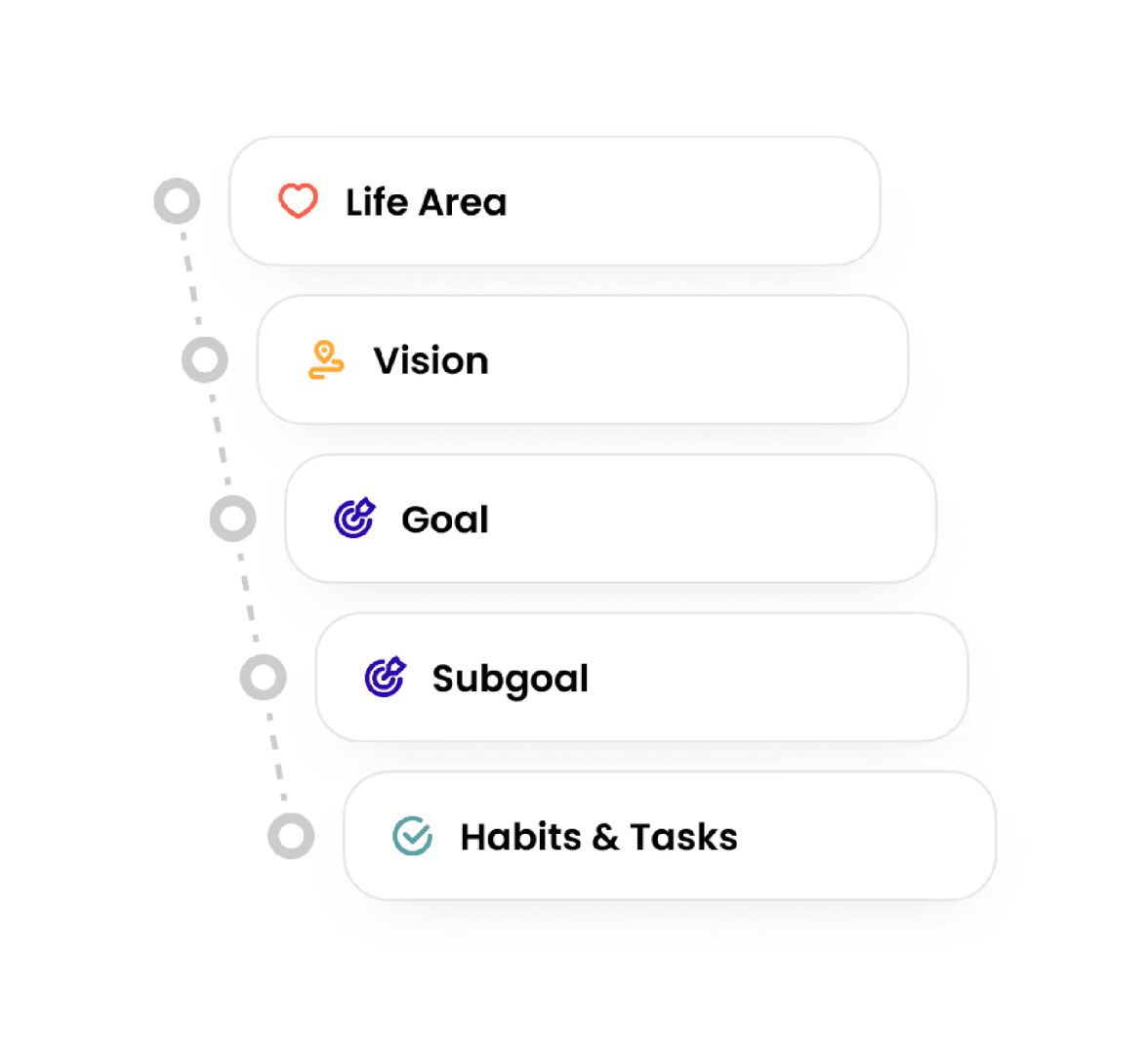
Griply links every task to a goal, life area, and vision so you always know what today's work is serving.
Griply connects tasks to goals, life areas, and your long-term vision.
OmniFocus has deep task organization but no goal layer at all.

Always know why today's work matters
Griply links every task to a goal, life area, and vision so you always know what today's work is serving.
Griply connects tasks to goals, life areas, and your long-term vision.
OmniFocus has deep task organization but no goal layer at all.
Always know why today's work matters
Griply links every task to a goal, life area, and vision so you always know what today's work is serving.
Griply connects tasks to goals, life areas, and your long-term vision.
OmniFocus has deep task organization but no goal layer at all.
Ready to plan on day one
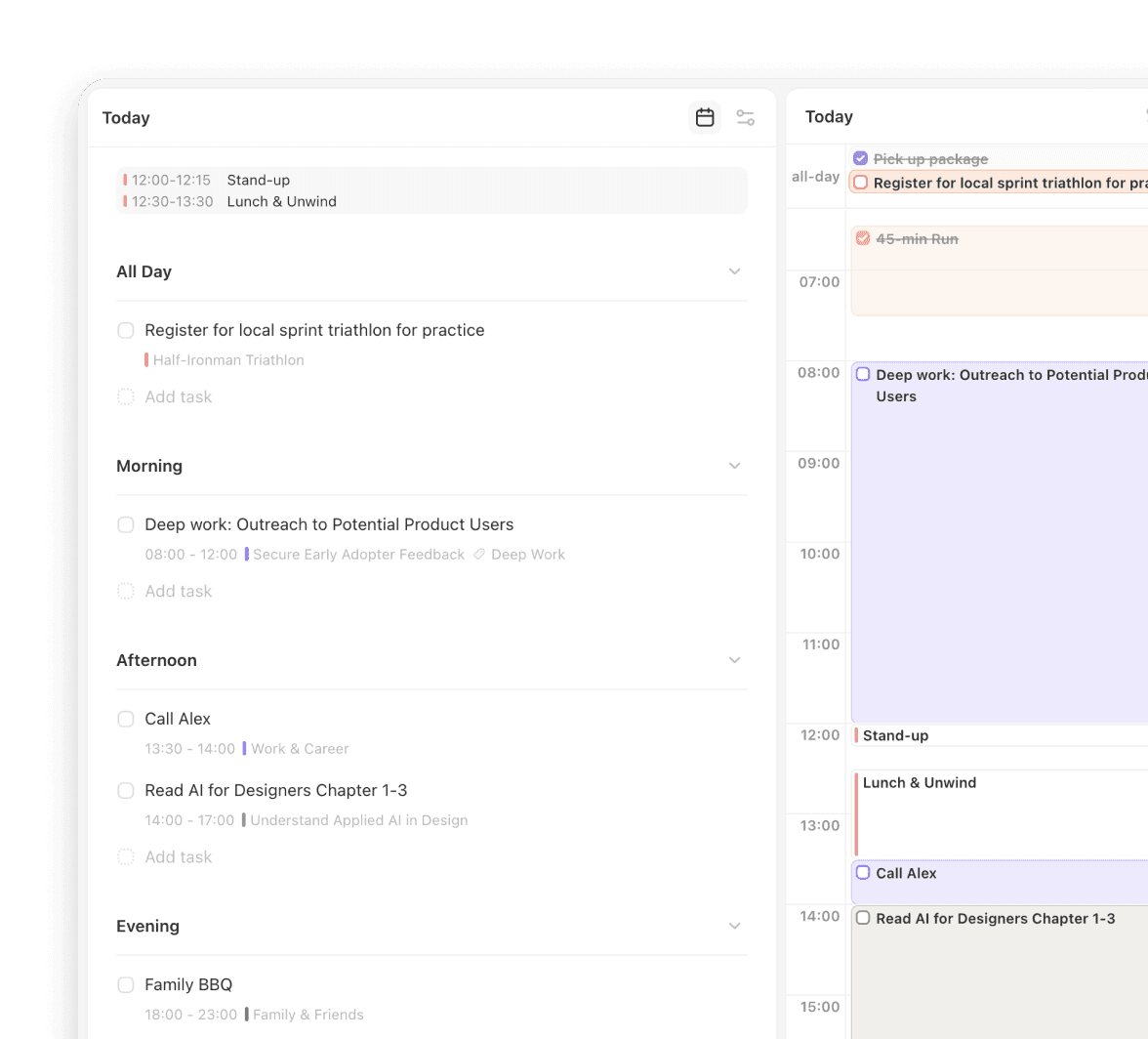
Griply's goal-first structure is in place from the moment you sign in, so your first session is about planning, not setup.
Griply's structure is ready the moment you sign in.
OmniFocus requires learning defer dates, perspectives, and project types before it helps.
Ready to plan on day one
Griply's goal-first structure is in place from the moment you sign in, so your first session is about planning, not setup.
Griply's structure is ready the moment you sign in.
OmniFocus requires learning defer dates, perspectives, and project types before it helps.
Ready to plan on day one
Griply's goal-first structure is in place from the moment you sign in, so your first session is about planning, not setup.
Griply's structure is ready the moment you sign in.
OmniFocus requires learning defer dates, perspectives, and project types before it helps.
Goals, habits, and task management for $49.99 a year
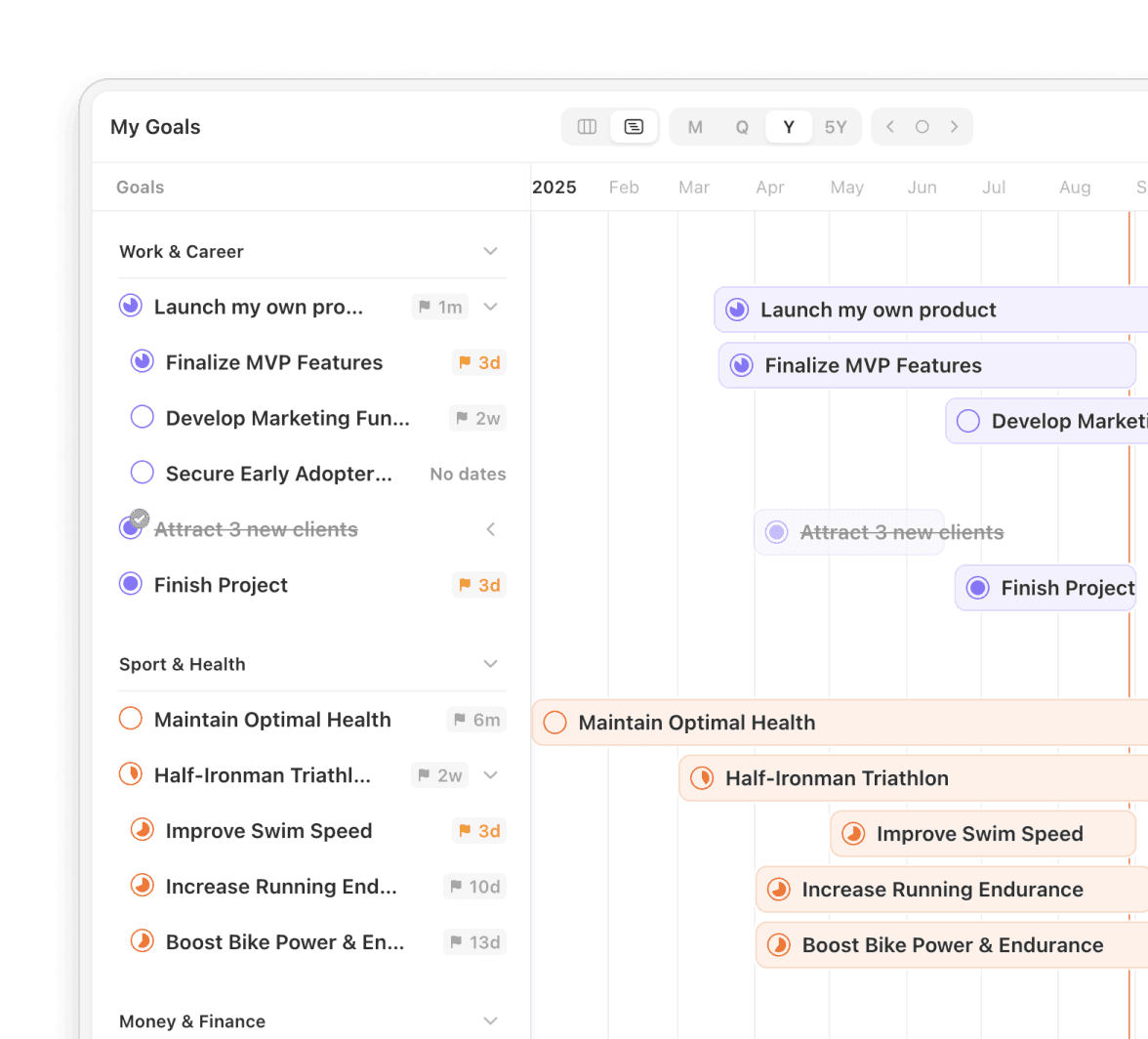
Griply gives you goals, habits, a roadmap, and daily task management for $49.99 a year.
Griply Premium is $49.99 a year or $149.99 for a lifetime license.
OmniFocus costs $99.99 a year and covers task management only.
Goals, habits, and task management for $49.99 a year
Griply gives you goals, habits, a roadmap, and daily task management for $49.99 a year.
Griply Premium is $49.99 a year or $149.99 for a lifetime license.
OmniFocus costs $99.99 a year and covers task management only.
Goals, habits, and task management for $49.99 a year
Griply gives you goals, habits, a roadmap, and daily task management for $49.99 a year.
Griply Premium is $49.99 a year or $149.99 for a lifetime license.
OmniFocus costs $99.99 a year and covers task management only.
Griply vs OmniFocus: goals, habits, and price comparison
Griply vs OmniFocus: goals, habits, and price comparison
| Feature | Griply | Omnifocus | What this means for you |
|---|---|---|---|
| Goal layer | Built-in goals linked to life areas and vision | No goal layer; task organization only | Griply keeps your daily work connected to what matters long-term. |
| Habit tracking | Habits connected to goals on a schedule | No habit tracking | Every recurring action in Griply has a clear reason. |
| Goal progress | Progress charts and a roadmap timeline | No progress visualization | You can see how close you are to any goal at a glance. |
| Setup time | Goal-first structure ready on day one | Steep learning curve; courses often required | You plan from your first session, not your tenth. |
| Price | $49.99/year or $149.99 lifetime | $99.99/year or $149.99 one-time Pro license | Griply costs half as much per year and includes more planning layers. |
| Platform | iOS, Android, web, Mac, and Windows | Mac, iPhone, and iPad; Windows via paid web add-on | Griply works on Windows at no extra cost; OmniFocus covers more Apple devices. |
| Daily planning | Today view with goal and calendar context | Forecast view with tasks and calendar events | Both show your day clearly; Griply connects each task to a goal. |
| Task hierarchy | Life areas, goals, subgoals, and tasks | Folders, projects, action groups, and actions | Griply's hierarchy starts with purpose; OmniFocus starts with projects. |
| Maintenance | Fixed goal-first structure with tags and smart lists | Custom perspectives requiring ongoing configuration | Griply keeps the system light to maintain. |
| Best fit | People who want goals, tasks, and habits in one modern system | Power users who need custom perspectives, scripting automation, and complex project dependencies | For goal-driven daily planning, Griply is the stronger fit. |
| Feature | Griply | Omnifocus | What this means for you |
|---|---|---|---|
| Goal layer | Built-in goals linked to life areas and vision | No goal layer; task organization only | Griply keeps your daily work connected to what matters long-term. |
| Habit tracking | Habits connected to goals on a schedule | No habit tracking | Every recurring action in Griply has a clear reason. |
| Goal progress | Progress charts and a roadmap timeline | No progress visualization | You can see how close you are to any goal at a glance. |
| Setup time | Goal-first structure ready on day one | Steep learning curve; courses often required | You plan from your first session, not your tenth. |
| Price | $49.99/year or $149.99 lifetime | $99.99/year or $149.99 one-time Pro license | Griply costs half as much per year and includes more planning layers. |
| Platform | iOS, Android, web, Mac, and Windows | Mac, iPhone, and iPad; Windows via paid web add-on | Griply works on Windows at no extra cost; OmniFocus covers more Apple devices. |
| Daily planning | Today view with goal and calendar context | Forecast view with tasks and calendar events | Both show your day clearly; Griply connects each task to a goal. |
| Task hierarchy | Life areas, goals, subgoals, and tasks | Folders, projects, action groups, and actions | Griply's hierarchy starts with purpose; OmniFocus starts with projects. |
| Maintenance | Fixed goal-first structure with tags and smart lists | Custom perspectives requiring ongoing configuration | Griply keeps the system light to maintain. |
| Best fit | People who want goals, tasks, and habits in one modern system | Power users who need custom perspectives, scripting automation, and complex project dependencies | For goal-driven daily planning, Griply is the stronger fit. |
| Feature | Griply | Omnifocus | What this means for you |
|---|---|---|---|
| Goal layer | Built-in goals linked to life areas and vision | No goal layer; task organization only | Griply keeps your daily work connected to what matters long-term. |
| Habit tracking | Habits connected to goals on a schedule | No habit tracking | Every recurring action in Griply has a clear reason. |
| Goal progress | Progress charts and a roadmap timeline | No progress visualization | You can see how close you are to any goal at a glance. |
| Setup time | Goal-first structure ready on day one | Steep learning curve; courses often required | You plan from your first session, not your tenth. |
| Price | $49.99/year or $149.99 lifetime | $99.99/year or $149.99 one-time Pro license | Griply costs half as much per year and includes more planning layers. |
| Platform | iOS, Android, web, Mac, and Windows | Mac, iPhone, and iPad; Windows via paid web add-on | Griply works on Windows at no extra cost; OmniFocus covers more Apple devices. |
| Daily planning | Today view with goal and calendar context | Forecast view with tasks and calendar events | Both show your day clearly; Griply connects each task to a goal. |
| Task hierarchy | Life areas, goals, subgoals, and tasks | Folders, projects, action groups, and actions | Griply's hierarchy starts with purpose; OmniFocus starts with projects. |
| Maintenance | Fixed goal-first structure with tags and smart lists | Custom perspectives requiring ongoing configuration | Griply keeps the system light to maintain. |
| Best fit | People who want goals, tasks, and habits in one modern system | Power users who need custom perspectives, scripting automation, and complex project dependencies | For goal-driven daily planning, Griply is the stronger fit. |
Why switch from OmniFocus to Griply?
Why switch from OmniFocus to Griply?
See real progress on every goal
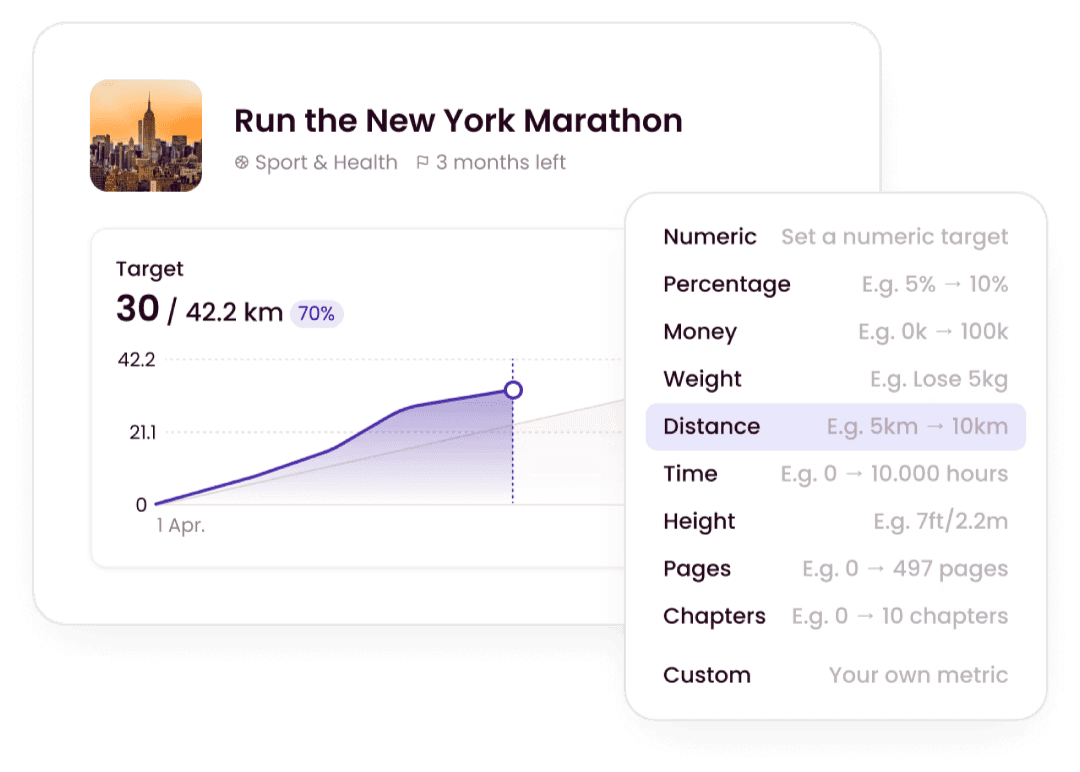
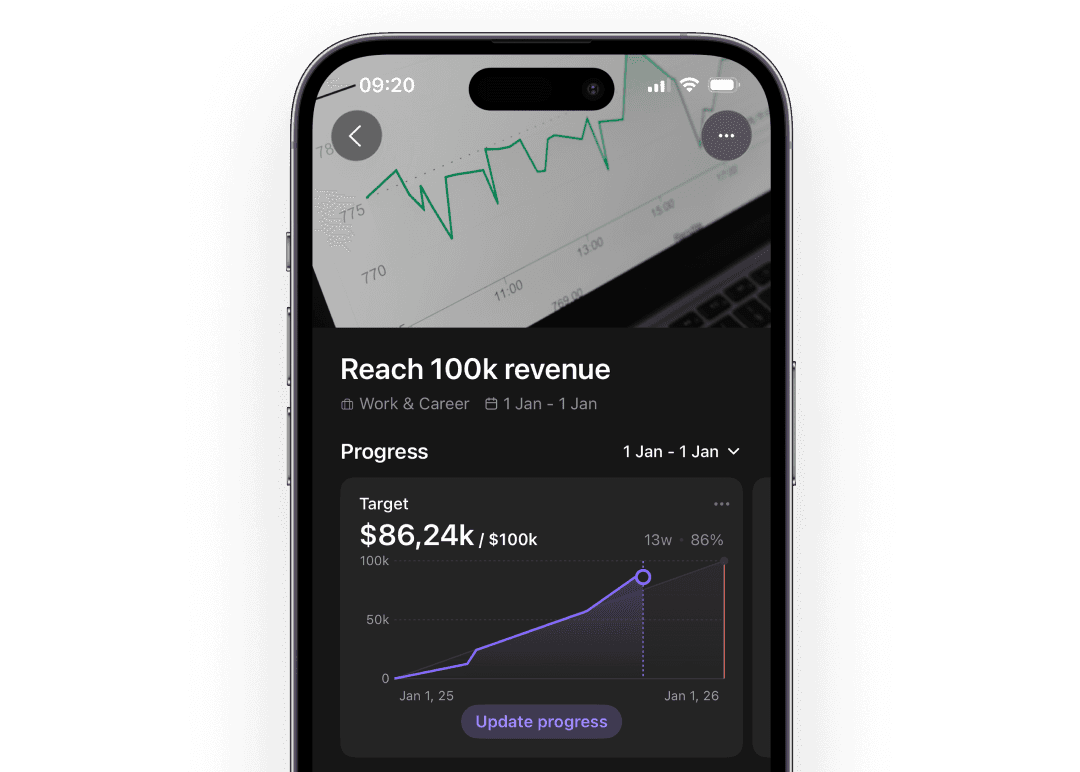
Every goal in Griply has a progress chart and a Gantt roadmap. OmniFocus has no progress visualization; you only know a project is done when the last task is checked off.
Recurring actions that have a reason
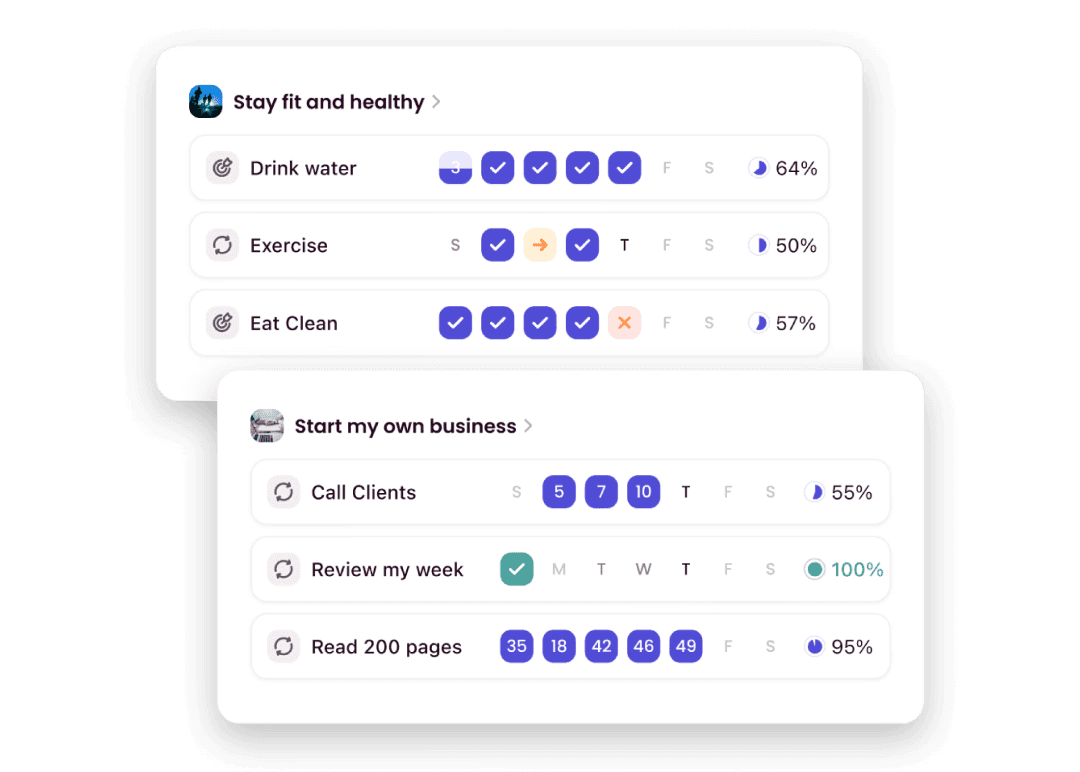
Griply has habit tracking built in, and habits can connect to a goal so you can see what it moves forward. OmniFocus has no habit layer at all or any statistics.
Keep your system without keeping it running
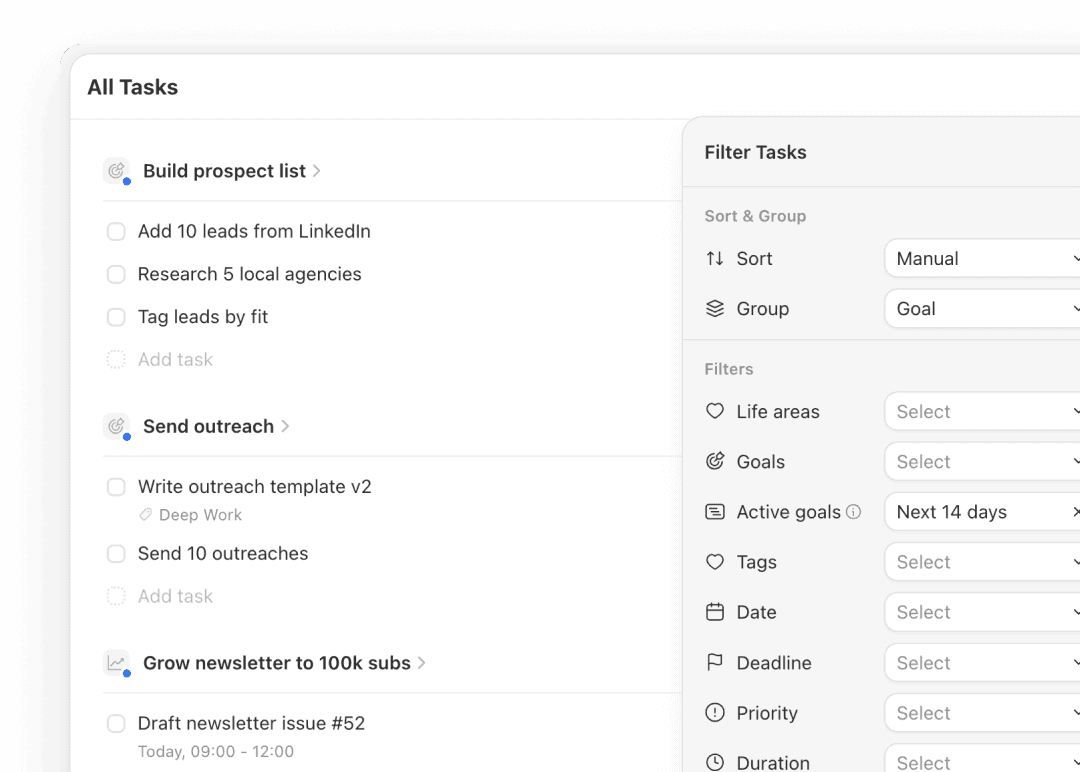
OmniFocus users frequently describe a "maintenance tax": more time spent grooming than doing real work. Griply's goal-first structure stays organized.
Work from any extra device for free
Griply runs on iOS, Android, Mac, Windows, and web with the same features at no extra cost. OmniFocus users on Windows pay $4.99 a month for a web companion that lacks features.
Rated 4.7 across 700+ App Store ratings.
Griply turns your goals into daily action.
Griply keeps your daily work connected to your vision and goals. People switch from OmniFocus when they realize they have a well-organized task system and still don't know if they are working on the right things.
I've tested so many productivity apps over the years, this is by far the one that best fits my needs. I really like the structure of habits, goals and tasks, and assigning everything to a life area... This app has everything, highly recommend. Wish I would have discovered it sooner.
- Danielle765
Having worked through loads of habit and to-do apps, alongside a world of different paper planners, I never found one that stuck... I'd tried Notion due to its flexibility, but found myself messing with my system more than using it! A year or so ago I found Griply, an app that finally managed to deliver on all my goal-setting requirements in one neat package... I couldn't recommend it highly enough!
- Tipsy5678
I have been searching Goal planner quite long time. The current market loaded with Task manager or time manager but there is no goal planner... Griply filled all the needs to be a great goal planner and tracker especially its completely aligned with Life OS structure.
- Adhav Mani
Rated 4.7 across 700+ App Store ratings.
Griply turns your goals into daily action.
Griply keeps your daily work connected to your vision and goals. People switch from OmniFocus when they realize they have a well-organized task system and still don't know if they are working on the right things.
I've tested so many productivity apps over the years, this is by far the one that best fits my needs. I really like the structure of habits, goals and tasks, and assigning everything to a life area... This app has everything, highly recommend. Wish I would have discovered it sooner.
- Danielle765
Having worked through loads of habit and to-do apps, alongside a world of different paper planners, I never found one that stuck... I'd tried Notion due to its flexibility, but found myself messing with my system more than using it! A year or so ago I found Griply, an app that finally managed to deliver on all my goal-setting requirements in one neat package... I couldn't recommend it highly enough!
- Tipsy5678
I have been searching Goal planner quite long time. The current market loaded with Task manager or time manager but there is no goal planner... Griply filled all the needs to be a great goal planner and tracker especially its completely aligned with Life OS structure.
- Adhav Mani
Rated 4.7 across 700+ App Store ratings.
Griply turns your goals into daily action.
Griply keeps your daily work connected to your vision and goals. People switch from OmniFocus when they realize they have a well-organized task system and still don't know if they are working on the right things.
I've tested so many productivity apps over the years, this is by far the one that best fits my needs. I really like the structure of habits, goals and tasks, and assigning everything to a life area... This app has everything, highly recommend. Wish I would have discovered it sooner.
- Danielle765
Having worked through loads of habit and to-do apps, alongside a world of different paper planners, I never found one that stuck... I'd tried Notion due to its flexibility, but found myself messing with my system more than using it! A year or so ago I found Griply, an app that finally managed to deliver on all my goal-setting requirements in one neat package... I couldn't recommend it highly enough!
- Tipsy5678
I have been searching Goal planner quite long time. The current market loaded with Task manager or time manager but there is no goal planner... Griply filled all the needs to be a great goal planner and tracker especially its completely aligned with Life OS structure.
- Adhav Mani
Frequently Asked Questions
Frequently Asked Questions
Frequently Asked Questions
Is OmniFocus good for personal goal tracking?
OmniFocus is designed for detailed task and project management with deep GTD support. It has no goal layer, no progress charts, and no habit tracking. Griply also supports a GTD-style workflow, with an Inbox for capture and a Today view for daily execution, and adds the goal layer on top so you can see how daily tasks connect to long-term goals.
Is Griply good for GTD?
Yes. Griply covers the core GTD loop: capture tasks in the Inbox, clarify them by linking to a goal or scheduling them, and engage from the Today view. Tags, filters, and Smart Lists give you contexts and saved custom views. Griply does not replicate OmniFocus's custom perspectives or scripting, but for a goal-connected GTD workflow it handles capture, organize, and execute in one place.
What is the best OmniFocus alternative?
If you want goal tracking alongside your tasks, Griply is the most direct alternative: it covers the planning layer OmniFocus leaves out. If you want a simpler task manager without the steep learning curve, Things 3 or Todoist are worth comparing.
Is OmniFocus worth the price?
For power users who need deep project hierarchies, custom perspectives, and scripting, OmniFocus is excellent and the price is justified. If you mainly want to set goals, track habits, and plan your week, Griply gives you that for $49.99 a year, about half of OmniFocus’s subscription cost.
Does OmniFocus have habit tracking?
No. OmniFocus has no habit tracking. You can set up recurring tasks as a workaround, but they sit in your project list with no habit statistics or goal connection. Griply has habit tracking built in, and each habit links to a goal so you can see what it moves forward.
Can Griply replace OmniFocus?
For goal tracking, habit tracking, daily planning, and task management, yes. Griply's task manager covers Inbox capture, time blocking, filters, Smart Lists, and daily planning in one modern app. If you rely on OmniFocus for custom perspectives, scripting automation, or complex multi-level project dependencies, those are the workflows worth keeping it for. For everything else, Griply is the more complete fit.
Is OmniFocus available on Windows?
Not natively. OmniFocus runs on Mac, iPhone, and iPad. Windows users can access a web companion for $4.99 a month on top of the standard subscription, but it lacks custom perspectives and the review workflow. Griply has native desktop apps for Mac and Windows at no extra cost.
How do I switch from OmniFocus to Griply?
Start with your vision and life areas in Griply, then add the goals that matter most right now. Bring over only the active tasks tied to those goals. Most people treat the switch as a chance to start fresh with a clear, purposeful system rather than migrating years of accumulated task data.

Griply
Ready to start working on what matters?
You have two paths. Keep OmniFocus's scripting depth and custom perspectives. Or open Griply today, set your goals, and immediately see which tasks move you toward what matters most.
Still deciding? Join our Community and ask the founders why they built Griply. We’re there every day.
🇳🇱 Built with 🩷 in the Netherlands
© 2026 Griply. All rights reserved.
🇳🇱 Built with 🩷 in the Netherlands
© 2026 Griply. All rights reserved.
🇳🇱 Built with 🩷 in the Netherlands
© 2026 Griply. All rights reserved.